The Problem
I watched a product go from 200 users to 40,000 users in three weeks.
It was a good problem to have. Until the database started choking.
Page loads went from 300ms to 12 seconds. The team kept scaling the server CPU. Nothing helped. The database was doing everything — saving orders, reading product lists, loading user profiles. All on one machine. That was the problem. That is what this post is about.
A single database is fine when traffic is small. Add more users and reads stack up fast. A product page loads — that is one read. The homepage loads — five reads. A search query runs — ten reads. Multiply that by 10,000 users per minute and the database drowns.
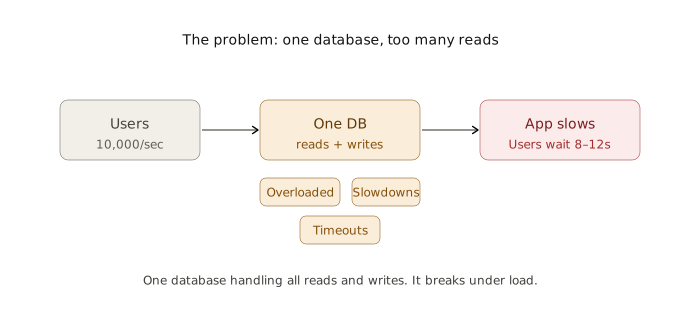
This is the exact problem read replicas were built to solve.
What Is a Read Replica?
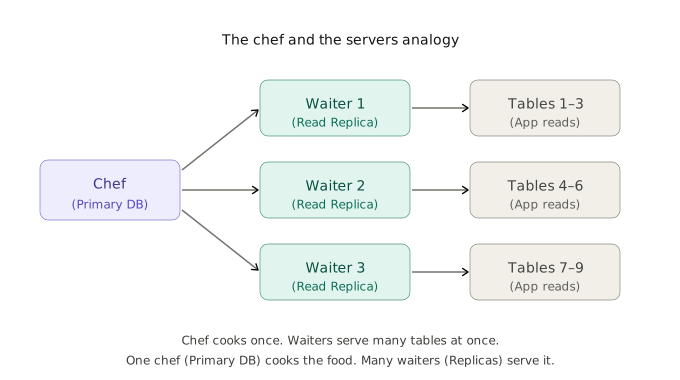
Think of a restaurant kitchen.
One chef cooks all the food. That is the primary database — the original, the source of truth. Now imagine that chef has three assistants. Each assistant carries the exact same dishes out to different tables. Those assistants are read replicas — copies of the database that serve reads.
The chef still does all the cooking. But the serving workload is split across many people. The kitchen does not slow down.
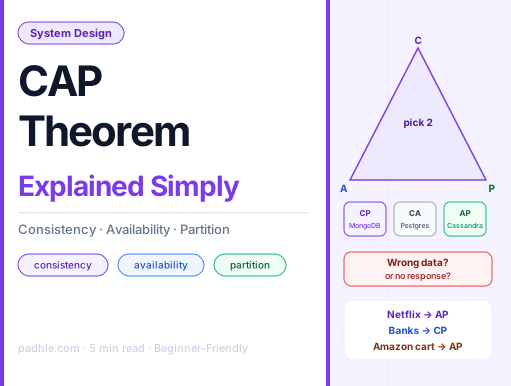
A read replica is a live copy of a database. Engineers route all read traffic — product searches, profile loads, dashboard queries — to these copies. The primary database focuses on what only it can do: saving new data. This is the same idea behind choosing the right database to begin with — a concept covered in depth in the SQL vs NoSQL breakdown, where the read-vs-write pattern determines the right pick.
Key Concepts
1. Primary Database
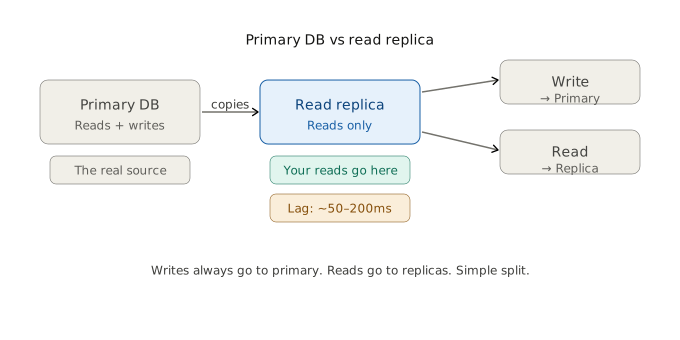
The primary database handles all writes. A user creates an account — it goes to the primary. An order is placed — primary stores it. The primary is the only database that accepts new data.
Rule: Writes always go to the primary. Never to a replica.
2. Read Replica
A read replica is an exact copy of the primary. It handles only reads. The app asks — “what are the top products?” — the replica answers. The primary never sees that question.
Rule: Reads go to replicas. This keeps the primary free.
3. Replication
Replication — the process of copying data — happens automatically. Every change on the primary gets sent to the replicas in near-real time. Engineers do not move data manually. The database engine handles it.
4. Replication Lag
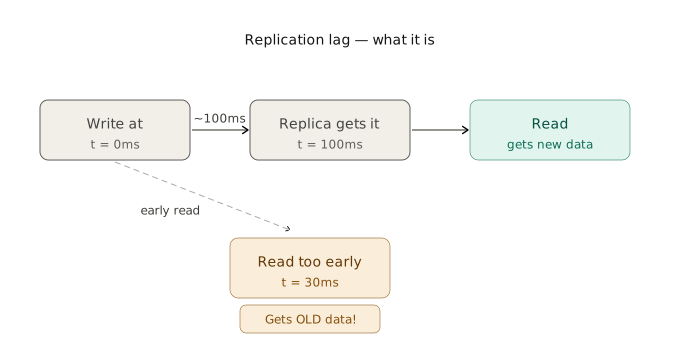
Replicas are not instant. There is a small delay. This is called replication lag — the time between a write on the primary and that write showing up on the replica. On a fast system this is 50 to 200 milliseconds. On a slow or overloaded network it can be seconds.
For most reads — product listings, user profiles, search results — 200ms lag is fine. For bank balances or payment status — it is not.
5. Horizontal Read Scaling
Adding more replicas to handle more reads is called horizontal read scaling — spreading the read load across many machines instead of one. GitHub runs 5 read replicas per region. Instagram runs dozens.
How It Works — Step by Step
Here is what happens when a user loads a product page on an e-commerce app with read replicas set up.
- User opens the app. The request hits the app server.
- App checks — is this a read or a write? Loading a product page is a read.
- App sends the read query to a replica. Not the primary.
- Replica returns the product data. Fast. No competition with writes.
- User places an order. That is a write. It goes to the primary.
- Primary stores the order. Then sends that change to all replicas.
- Replicas update within ~100ms. Next read picks up the new data.
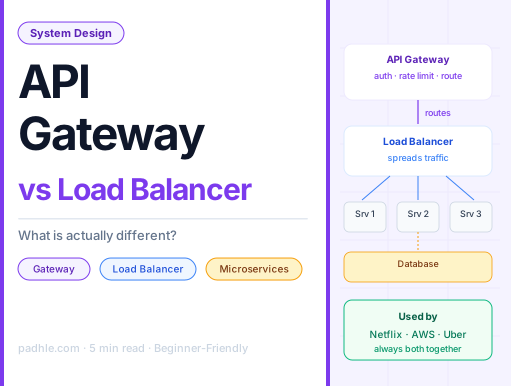
The app decides — at the code level — which queries go where. Most frameworks support this with a single config line. AWS RDS, Google Cloud SQL, and Azure Database all handle replication automatically once a replica is created. Before that request even reaches the database, it passes through a load balancer that decides which server handles it — replicas included.

How It Works Internally
Under the hood, the primary database keeps a log.
Every change — every insert, every update, every delete — is written to a file called the binary log (MySQL calls it this) or the WAL — Write-Ahead Log — in PostgreSQL. Think of it like a notebook. Every action gets written down, in order, before it happens.
The replica reads this notebook. It replays every entry in the same order. It ends up with the exact same data as the primary. If the replica falls behind — say the network is slow — it just keeps reading the log from where it left off. Nothing gets lost.
From experience: The most common surprise with read replicas is replication lag during high write periods. One team ran a bulk import — 2 million rows — and their replica fell 40 seconds behind. Reads were serving stale product data the whole time. Always monitor lag. Set an alert if it goes above 5 seconds.
Real Company Examples
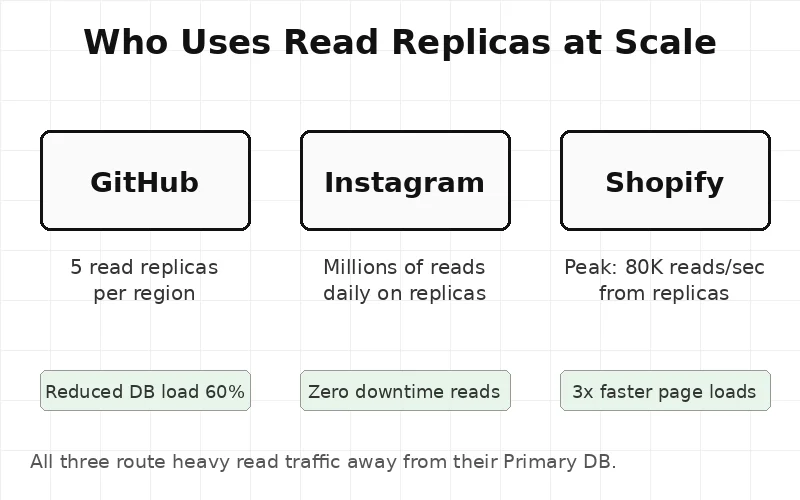
GitHub — GitHub uses MySQL as their primary database. At peak they serve millions of code browsing requests per minute. All repository reads — file trees, commit histories, diffs — go to read replicas. The primary only handles pushes and pull request updates. GitHub runs 5 replicas per region and routes reads using a custom proxy layer called ProxySQL.
Shopify — Shopify is a platform that runs over 1.7 million online stores. During peak sales events like Black Friday, read traffic hits 80,000 requests per second. Without replicas, every product page load would slam the primary. Shopify routes storefront reads to replicas so the primary stays fast for checkout writes. This traffic routing pattern is the same reason teams obsess over Layer 4 vs Layer 7 load balancers — the wrong routing decision breaks at scale just as fast as the wrong database setup.
Instagram — Instagram uses PostgreSQL for user data. At over 2 billion active users, reads outnumber writes by a factor of 10 to 1. Profile loads, feed queries, story views — all go to replicas. Instagram maintains dozens of replicas per database cluster to keep read latency under 10ms.
When To Use — and When Not To
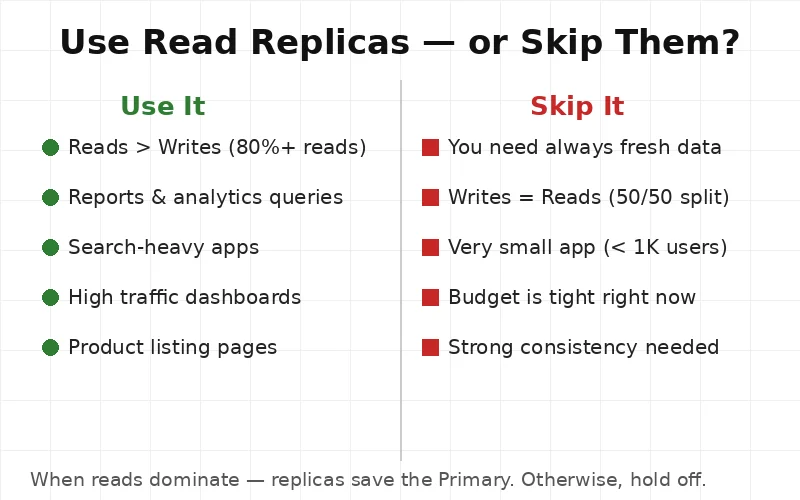
Use read replicas when:
- Reads make up 70% or more of total database traffic
- Reports and analytics queries are slowing the app
- Product listing or search pages are slow under load
- Building a read-heavy dashboard or feed
- The primary CPU stays above 70% during normal traffic
Skip read replicas when:
- The app is small — under 5,000 daily active users
- Writes and reads are roughly equal in volume
- Strong data consistency is a hard requirement (payment systems, banking)
- Budget does not allow for a second database server
- The team cannot yet monitor replication lag reliably
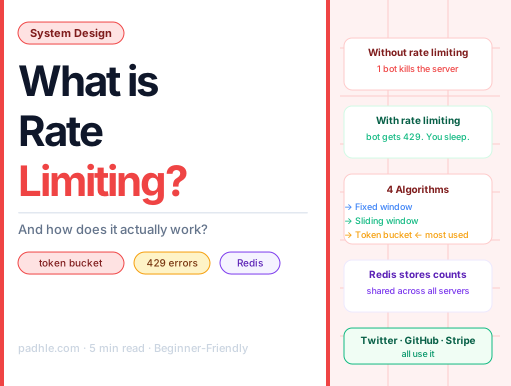
The lesson here is simple: replicas solve a read problem. If reads are not the bottleneck — replicas will not help. Before jumping to replicas, many teams first add caching with Redis — which removes the database call entirely for repeated reads and costs far less to set up.
Important Notes
- One database breaks under read load. Writes and reads compete. Performance drops.
- A read replica is a live copy. It handles reads so the primary handles only writes.
- Replication happens via a log. The primary logs every change. Replicas replay the log.
- Lag is real. Replicas are not instant. Expect 50–200ms delay under normal conditions.
- Big companies rely on this. GitHub, Shopify, and Instagram all use replicas at scale.
- It is one config step on most cloud platforms. AWS RDS, Google Cloud SQL, and Azure all support one-click replica creation.
This article is for educational purposes based on publicly available engineering resources.